Construction Accounting in QuickBooks: Job Costing, Progress Billing and Profit Tracking
Most bookkeeping software treats every sale as a single, simple event. Construction accounting doesn’t work that way. A single job can run for months. It can involve multiple subcontractors, get billed in stages, and hold back retainage until the client signs off. Setting up construction accounting in QuickBooks Online correctly means configuring the software to track all of that at the job level, not just at the company level.
This guide covers how job costing, progress billing, and profit tracking work inside construction accounting in QuickBooks Online. It also covers where the built-in tools hold up for contractors, and where they run into real limits.
Job Costing: Tracking Profitability Per Project
Job costing means tracking every cost and every dollar of revenue against the specific job it belongs to. That way, you know whether each project actually made money, not just whether the business as a whole did.
Turning on Projects
QuickBooks Online’s job costing tools live inside the Projects feature, which requires the Plus or Advanced plan (or QuickBooks Online Accountant). To turn it on, go to Settings → Account and Settings → Advanced. Enable Organize all job-related activity in one place under the Projects section. Intuit’s own Projects setup documentation walks through the exact settings screens if yours look slightly different. Once enabled, every job, phase, or property becomes its own project, with income, expenses, time, and profitability tracked separately.
Setting up your cost structure
Before you create your first project, set up consistent categories for the cost types you’ll track: labor, materials, subcontractors, equipment, and overhead. Use the same cost codes and item names across every job. Coding concrete one way on one job and a different way on the next makes job-to-job comparisons meaningless. It also destroys the historical pricing data that makes future bids more accurate.
Assigning costs to the right project
Every bill, expense, and timesheet entry needs a project tag at the point of entry. Tag vendor bills, material purchases, and subcontractor invoices to the relevant project as soon as you record them — don’t batch and guess weeks later. Contractors who enter costs weekly consistently produce more accurate job costing than those who catch up at month-end. A receipt entered from memory three weeks late gets miscoded far more often than one entered the same day.
Reading job costing reports
Once costs flow into your projects correctly, the Project Profitability report and Estimates vs. Actuals report become your main tools. Estimates vs. Actuals shows exactly where a job stands against its original budget at any point in the work. That lets you catch a cost overrun while there’s still time to fix it, instead of finding out after the job closes.
Not confident your job costs are tracking accurately?
We help construction and trades businesses across the US, UK, Canada, Australia, and the GCC set up and maintain accurate job costing in QuickBooks Online.
Request a Bookkeeping ConsultationProgress Billing: Getting Paid as the Work Happens
Construction jobs rarely get paid in one lump sum at the end. Progress billing (also called progress invoicing) lets you bill a client for a percentage of the total contract value as you complete the work, instead of waiting until the whole job wraps up.
Setting up progress invoicing
Start with an estimate for the full project scope and value. Turn on progress invoicing under Settings → Account and Settings → Sales. Enable the option to create multiple partial invoices from a single estimate. From there, you can invoice a flat percentage of the estimate, specific line items, or custom amounts for each billing stage.
Handling change orders
When project scope changes mid-job, update the original estimate to reflect the change order. Don’t create a disconnected new invoice instead. Tying change orders to the original estimate preserves an accurate record of what the client actually approved — something that matters if a billing dispute comes up later.
Tracking retainage
Many construction contracts hold back a percentage of each progress payment (commonly 5–10%) until the project wraps up and the client approves it. QuickBooks Online supports this. In the same Projects settings area where you enable job tracking, you can turn on Retainage and map dedicated Retainage Receivable and Retainage Payable accounts in your chart of accounts. This keeps held-back amounts visible as a separate, trackable balance instead of burying them inside your regular accounts receivable.
Profit Tracking and Work-in-Progress (WIP)
Work-in-progress accounting addresses a specific construction problem. On a long job, you might have billed more than the completed work justifies (overbilled). Or you might have completed more work than you’ve invoiced for (underbilled). Both distort your profit and loss statement if you don’t track them, since the P&L only shows what’s been invoiced and paid, not how much work is actually done.
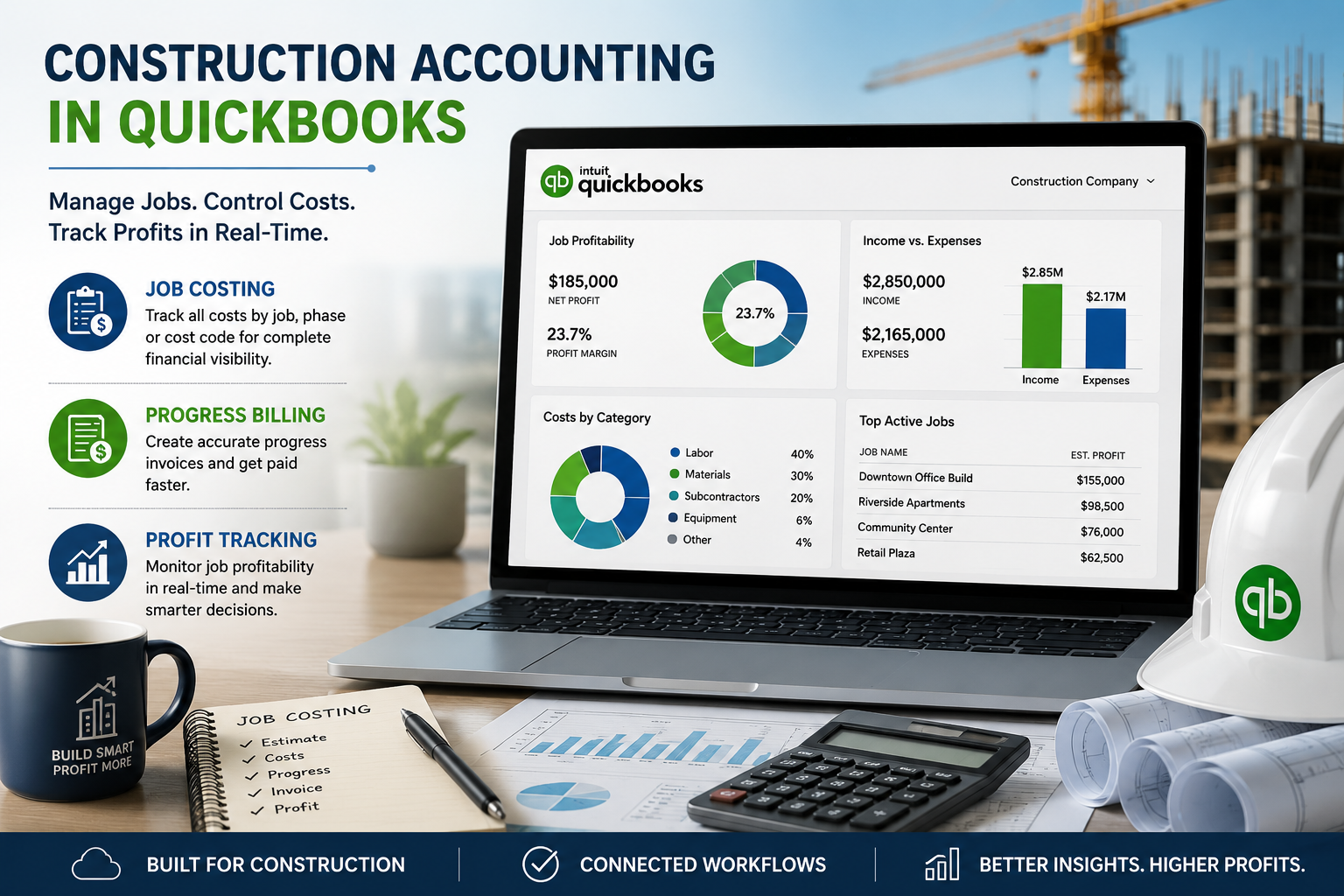
How job costing, progress billing, and WIP tracking connect for construction accounting in QuickBooks Online.
QuickBooks Online’s project reports give you useful underlying data: costs to date, percentage of estimate billed, and current job profitability. But a full percentage-of-completion WIP schedule isn’t a built-in report. Many contractors need this exact format for bonding, lender reporting, or GAAP-compliant financials. Most build it manually or use a third-party construction reporting add-on that pulls QuickBooks data into a proper WIP format. If your bonding company or lender requires a formal WIP schedule, confirm the required format before assuming your QuickBooks reports alone will satisfy it.
Where QuickBooks Online Holds Up, and Where It Doesn’t
| Task | How Well QuickBooks Online Handles It |
|---|---|
| Job-level cost and revenue tracking | Solid, through the Projects feature on Plus or Advanced plans |
| Progress invoicing from an estimate | Built in and works well for straightforward milestone or percentage billing |
| Retainage tracking | Supported through dedicated settings and chart of accounts mapping |
| Estimate vs. actual cost comparison | Built in, updates in real time as costs are entered |
| Full percentage-of-completion WIP schedule | Not a native report; usually needs manual calculation or a third-party add-on |
| AIA-style pay applications | Not native; typically requires a construction-specific app connected to QuickBooks |
| Certified payroll reporting | Not native in standard QuickBooks Online Payroll; usually needs a specialized add-on |
Not sure if QuickBooks Online can handle your reporting needs?
We’ll review your bonding, lender, and reporting requirements and tell you honestly whether QuickBooks Online covers it or whether you need additional tools.
Get a Free ConsultationCommon Construction Bookkeeping Mistakes
- Inconsistent vendor naming. “ABC Plumbing,” “A.B.C. Plumbing,” and “ABC Plumb” register as three separate vendors in QuickBooks, splitting your cost history for the same subcontractor across multiple records.
- Coding costs from memory instead of at the point of entry. A receipt tagged to the wrong job weeks later quietly throws off both jobs’ profitability numbers.
- Recording subcontractor costs in a generic expense account. Without a project tag, subcontractor spend doesn’t show up in job costing reports at all, even though it’s often one of the largest cost categories.
- Skipping the WIP conversation with your accountant. If you carry multiple long jobs across a fiscal year-end, ask your accountant whether you need percentage-of-completion adjustments for accurate financials. QuickBooks doesn’t calculate these automatically.
When to Bring in a Bookkeeper
Construction accounting in QuickBooks Online works well once you set it up correctly, but the setup itself has many moving parts. Cost code structure, project settings, retainage accounts, and progress invoicing all need to work together consistently from the start. Getting any one of these wrong tends to surface months later, as a job that looked profitable on paper but wasn’t.
GlobalBookkeepingExperts.com works with construction and trades businesses on QuickBooks Online setup, job costing, and ongoing bookkeeping. We also handle cleanup for businesses that started tracking jobs inconsistently and need their historical numbers corrected.
Frequently Asked Questions
Which QuickBooks Online plan do I need for job costing?
The Projects feature, which powers job costing, requires QuickBooks Online Plus, Advanced, or QuickBooks Online Accountant. Simple Start and Essentials don’t include it.
Can QuickBooks Online track retainage?
Yes. You can turn on retainage tracking in the Projects settings and map Retainage Receivable and Retainage Payable accounts in your chart of accounts.
Does QuickBooks Online generate a WIP schedule automatically?
No. QuickBooks Online tracks the underlying cost and billing data a WIP schedule needs, but it doesn’t offer a full percentage-of-completion schedule as a native report. Most contractors build this manually or use a third-party construction reporting tool.
How is progress invoicing different from a regular invoice?
Progress invoicing lets you bill a percentage or portion of a single estimate across multiple invoices as you complete the work, rather than requiring one invoice for the full contract amount.
Do I need construction-specific software instead of QuickBooks Online?
For small to mid-size contractors, QuickBooks Online’s job costing and progress invoicing tools usually cover what you need. Larger contractors with government contracts, certified payroll, or complex bonding requirements often add a construction-specific platform alongside QuickBooks rather than replacing it.
Conclusion
Solid construction accounting in QuickBooks Online comes down to consistency: the same cost codes on every job, costs assigned at the point of entry, and progress invoices tied back to the original estimate. Get that discipline in place, and Projects, progress invoicing, and retainage tools give small and mid-size contractors real visibility into which jobs actually make money.
Let us set up your job costing correctly
From Projects setup through monthly job cost reporting, GlobalBookkeepingExperts.com helps construction businesses keep accurate books in QuickBooks Online.
Talk to a Bookkeeping Specialist