QuickBooks Online vs Xero for E-Commerce: Which Is Better for Your Business?
Running QuickBooks Online vs Xero for e-commerce comes down to a handful of decisions that matter more for online sellers than for a typical service business: how well the platform handles inventory and cost of goods sold, how it deals with multiple currencies and sales channels, and how its pricing scales as your team grows. Neither platform is universally better. The right one depends on how you sell.
This guide compares both platforms on the specific factors that matter for online sellers, and breaks down which one fits which kind of e-commerce business.
The Quick Answer
For most sellers weighing QuickBooks Online vs Xero for e-commerce, QuickBooks Online generally fits US-based sellers who need native inventory tracking and cost of goods sold reporting without add-ons, and who work with a US-based accountant. Xero generally fits sellers who need multi-currency accounting, multiple team members with daily access, or who operate primarily in Australia, New Zealand, or the UK. Both platforms connect equally well to e-commerce-specific tools like A2X and Synder, which handle the channel-level detail neither platform provides natively.
Not sure which platform fits your store?
We work across QuickBooks Online, Xero, and Zoho Books, and can recommend the platform that actually fits how you sell.
Request a Bookkeeping ConsultationSide-by-Side Comparison
| Factor | QuickBooks Online | Xero |
|---|---|---|
| Native inventory tracking | Stronger on Plus and Advanced: assemblies, bundles, reorder points, and cost-layering options | Lighter native tracking; most sellers add a dedicated inventory app at scale |
| Multi-currency support | Available on select plans, generally considered less robust | Available on higher-tier plans; widely considered the stronger option for international sellers |
| User access model | Number of users capped by plan tier | Unlimited users on every plan |
| E-commerce channel integrations (Shopify, Amazon, Etsy) | Strong, via A2X, Synder, and similar connectors | Equally strong through the same connector apps |
| US accountant availability | Larger pool of US-based CPAs and bookkeepers already trained on it | Smaller US pool, but well-established among AU, NZ, and UK accountants |
| Support | Phone and live chat available | Primarily case-based email support |
Both platforms change pricing and plan structure fairly often, so don’t rely on a specific dollar figure you find anywhere online, including this article, without checking current rates directly on each provider’s site before deciding.
Inventory and Cost of Goods Sold
For sellers carrying physical inventory, this is often the deciding factor. QuickBooks Online’s Plus and Advanced plans include native inventory management: tracked quantities, assemblies and bundles, reorder points, and cost-layering methods for valuing stock. Xero’s built-in inventory tools are lighter by comparison, which is fine for a small product catalog but becomes limiting once you’re managing dozens of SKUs, multiple warehouses, or bundled products.
Neither platform is built to replace a dedicated inventory system at real scale. Sellers running complex fulfillment operations on either platform commonly add a specialized inventory tool on top, regardless of which accounting software sits underneath.
Multi-Currency and International Sales
If you sell to customers outside your home country, or hold funds in more than one currency through your payment processor, Xero’s multi-currency handling is widely considered the stronger option. It’s built into the platform’s core design rather than layered on top, and it’s used by sellers across more than 180 countries. QuickBooks Online supports multi-currency on select plans too, but most comparisons rate Xero’s implementation as more mature for businesses genuinely operating across currencies day to day.
Multi-Channel Integrations
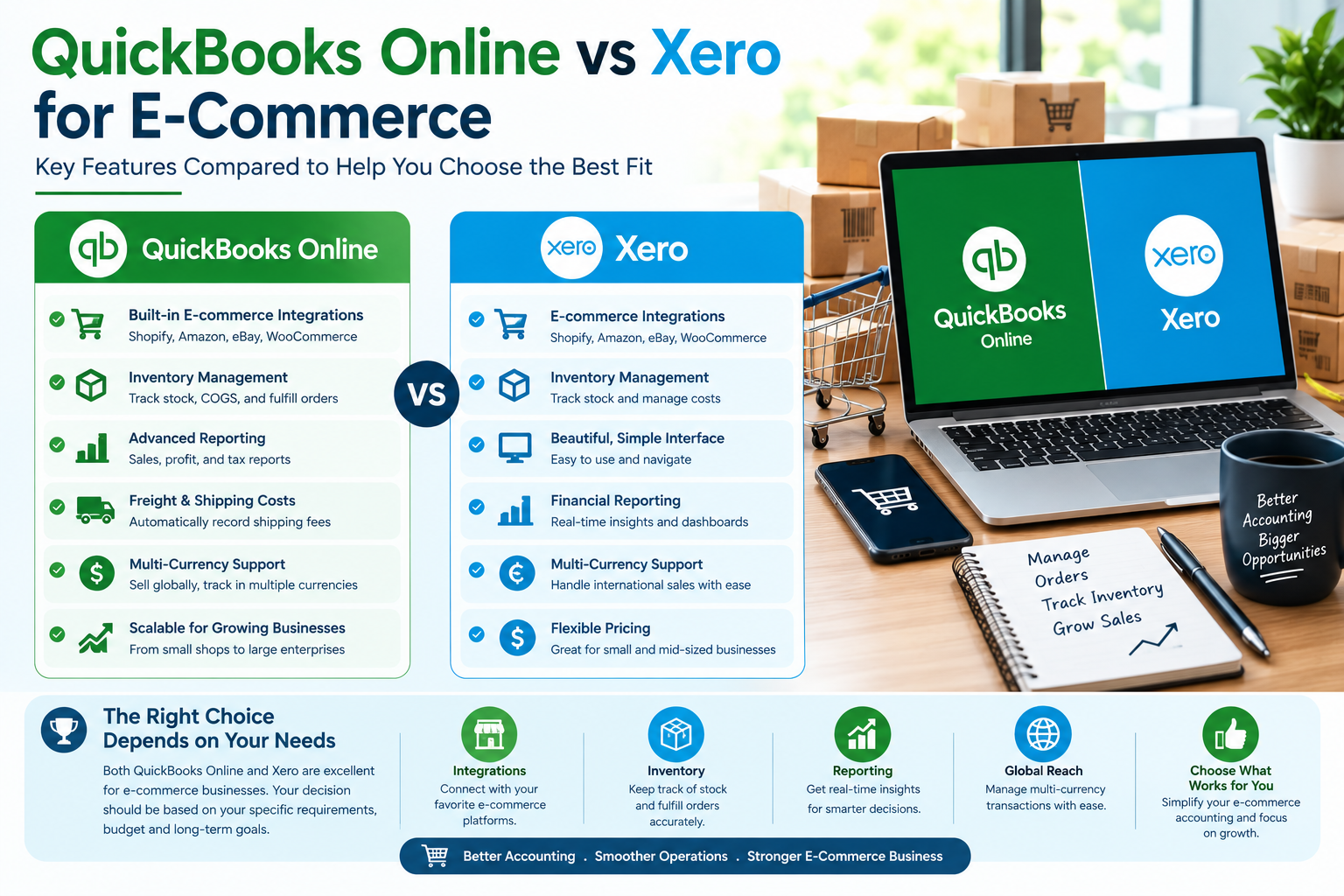
Where QuickBooks Online and Xero differ, and where they perform identically, for e-commerce sellers.
Neither QuickBooks Online nor Xero natively breaks down channel-level profitability across Shopify, Amazon, and other marketplaces. That level of detail comes from a connector app like A2X, Link My Books, or Synder sitting between your sales channels and your books. Both accounting platforms integrate with these tools identically, so this factor rarely tips the decision one way or the other.
Weighing QuickBooks Online against Xero for your store?
We’ll look at your sales channels, currencies, and team size and tell you honestly which platform fits.
Get a Free ConsultationPricing and Team Access
QuickBooks Online caps the number of users per plan tier, so adding team members, a bookkeeper, and an accountant can push a growing e-commerce team into a higher-priced plan sooner than expected. Xero’s own pricing page confirms that every plan includes unlimited users, which tends to favor businesses where the founder, an in-house team member, a bookkeeper, and an accountant all need regular access at once. Since both providers adjust pricing periodically, treat any specific dollar comparison as a starting point for research, not a final answer.
Which Platform Fits Which Business
Here’s how the QuickBooks Online vs Xero for e-commerce decision tends to shake out in practice:
- US-based sellers with physical inventory: QuickBooks Online’s native inventory and cost of goods sold tools, combined with the larger pool of US-based accountants who already know the platform, make it the more common default.
- International or multi-currency sellers: Xero’s stronger multi-currency handling and international adoption make it a common fit for sellers with customers, suppliers, or bank accounts in more than one currency.
- Small teams needing multiple daily logins: Xero’s unlimited-user model avoids the per-tier user caps that can push a growing QuickBooks Online team into a higher plan.
- Digital products or service-based e-commerce: Without physical inventory to manage, either platform generally works well, so the decision comes down to accountant preference, currency needs, and team size.
Common Mistakes When Choosing Between Them
A few missteps come up repeatedly when businesses decide between QuickBooks Online vs Xero for e-commerce:
| Mistake | Why It’s a Problem |
|---|---|
| Choosing based on price alone | User caps, connector app costs, and add-ons can flip the actual total cost either direction |
| Not checking accountant compatibility first | Switching platforms later than your accountant supports creates friction at tax time |
| Assuming either platform handles multi-channel reporting natively | Both require a connector app for real channel-level detail |
| Switching platforms without planning the data migration | Inventory valuation and multi-currency history can shift during a poorly planned migration |
When to Bring in a Bookkeeper
Choosing between QuickBooks Online and Xero for e-commerce is easier with someone who’s set up both for businesses similar to yours. The bigger risk usually isn’t picking the “wrong” platform. It’s setting up the right platform incorrectly for how you actually sell.
GlobalBookkeepingExperts.com works across QuickBooks Online, Xero, and Zoho Books, and helps e-commerce businesses choose, set up, and maintain the platform that fits their inventory, currency, and team needs.
Frequently Asked Questions
Is QuickBooks Online or Xero better for Shopify sellers?
Both integrate equally well with Shopify through connector apps like A2X or Synder. QuickBooks Online tends to fit better if you need native inventory tracking; Xero tends to fit better if you sell internationally in multiple currencies.
Does Xero handle inventory as well as QuickBooks Online?
Generally no. QuickBooks Online’s Plus and Advanced plans offer more built-in inventory features, including assemblies, bundles, and reorder points, while Xero’s native inventory tools are lighter.
Which platform is cheaper for a multi-user e-commerce team?
Xero includes unlimited users on every plan, while QuickBooks Online caps users by plan tier. A team with several people needing daily access often finds Xero more cost-effective as they scale, though exact pricing changes over time.
Do I need a separate app for Amazon or Shopify reporting either way?
Yes. Neither QuickBooks Online nor Xero natively breaks down channel-level sales, fees, and refunds. Most sellers use a connector app like A2X or Synder regardless of which accounting platform they choose.
Can I switch between QuickBooks Online and Xero later if I choose wrong?
Yes, but plan for it carefully. Migrating between the two can shift inventory valuation methods and cause small variances in multi-currency historical data, so it’s worth getting the choice right the first time where possible.
Conclusion
There’s no outright winner for QuickBooks Online vs Xero for e-commerce. QuickBooks Online tends to fit US-based sellers with physical inventory and a US accountant relationship. Xero tends to fit international or multi-currency sellers and teams that need several people logged in daily without extra cost. Match the platform to how you actually sell, not to which one has the louder marketing.
Let us help you choose and set it up right
From platform selection through full setup, GlobalBookkeepingExperts.com helps e-commerce businesses get their accounting foundation right from day one.
Talk to a Bookkeeping Specialist